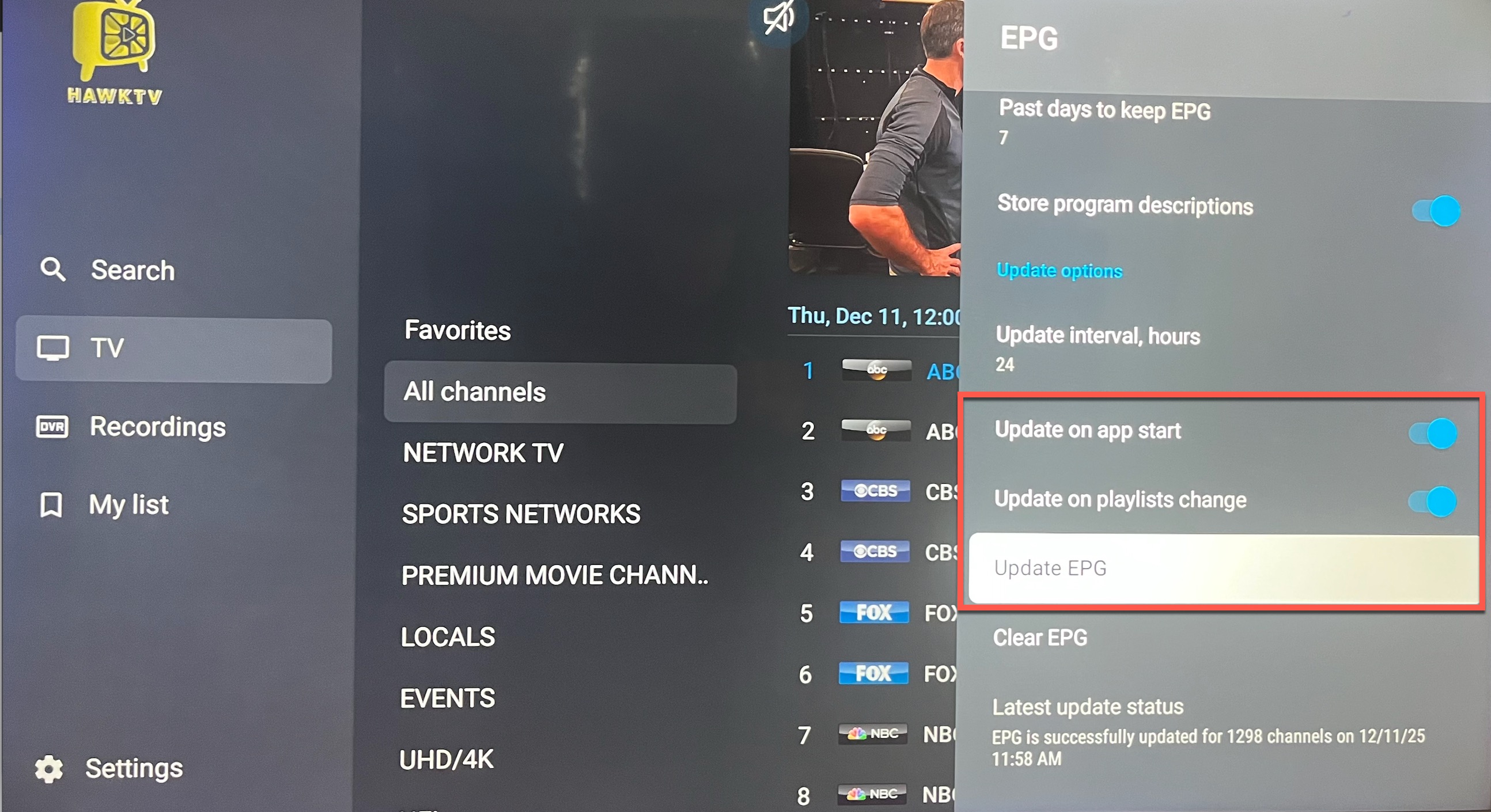
To update your channel guide navigate to Settings in the HawkTV app, scroll down to EPG and click on it, then scroll down and click on "Update EPG". This will manually update your guide.
To have the egg auto-update, toggle on "Update on app start" and "Update on playlists change" buttons so it will run the EPG update when you start the HawkTV app.