
HawkTV - How to update the channel guide (EPG)

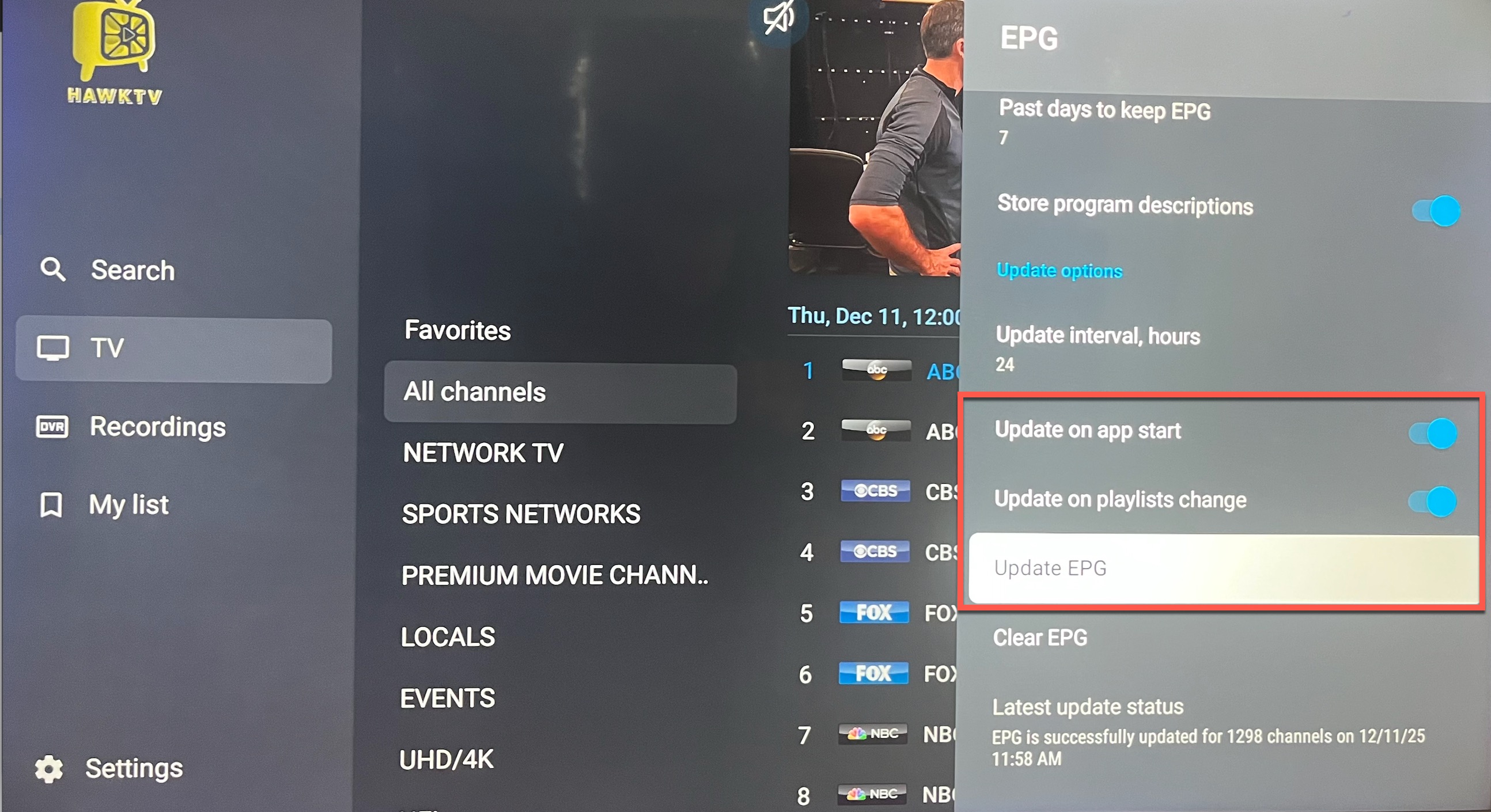
To update your channel guide navigate to Settings in the HawkTV app, scroll down to EPG and click on it, then scroll down and click on "Update EPG". This will manually update your guide.

To have the egg auto-update, toggle on "Update on app start" and "Update on playlists change" buttons so it will run the EPG update when you start the HawkTV app. 
  • 33 Utilizadores acharam útil
Esta resposta foi útil?

Artigos Relacionados

HawkTV - How to record to external storage

*Note - the easiest way to record HawkTV is to purchase a device that has optimal storage space....

HawkTV - No Channels Showing Up

If you don't see a 3000+ of channels processed then you most likely have a typo in your password....

HawkTV - Phones / Tablets - Adding the HawkTV Playlist to the Smarters app

Search for the 'Smarters Player Lite' app from the Google Play or Apple App store and install it...

HawkTV - WebPlayer Browser Link for Desktops, Laptops, etc.

WebPlayer Browser App for Laptops, Desktops, etc. (HawkTV Playlist) (*NOTE - this will use a...